
FRAMR. Call System: Digital ticket and queue management
The FRAMR, Call System turns your display into a fully-featured ticket terminal with ticket issuance, queue management, room calls, automatic calls via “Autopilot,” and reporting. This process is managed centrally in the FRAMR. Cockpit.
Note: The call system is an optional add-on and requires separate hardware (ticket printer, terminal) as well as an additional license. It is not included in the Jet or Propeller license.
FRAMR. Queue Management System: Your benefits
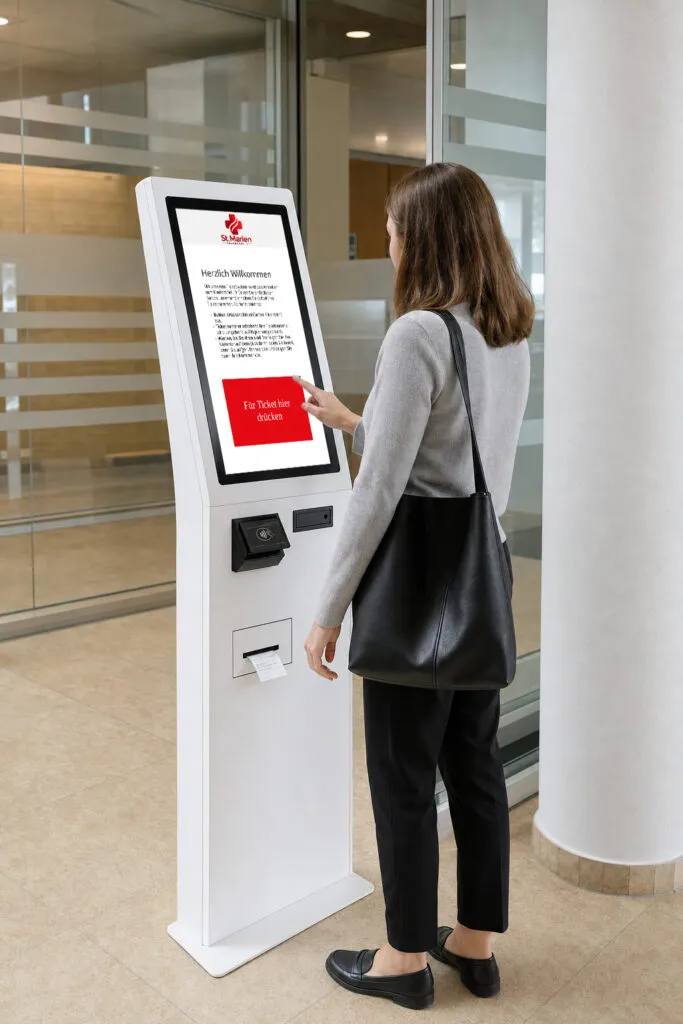
Self-service ticket issuance
At the touchscreen, each visitor “picks up” a ticket on their own, either by tapping the screen or inserting an insurance card, for example. The number is automatically assigned and printed for each day and location. All necessary user interfaces can be freely customized, as can the print template itself.
GDPR-Compliant
No personal data is collected. For example, if patients present insurance cards, the data is not transferred to the cloud but is only displayed locally at the station and then discarded.
You can find more information on security and the GDPR in this article.
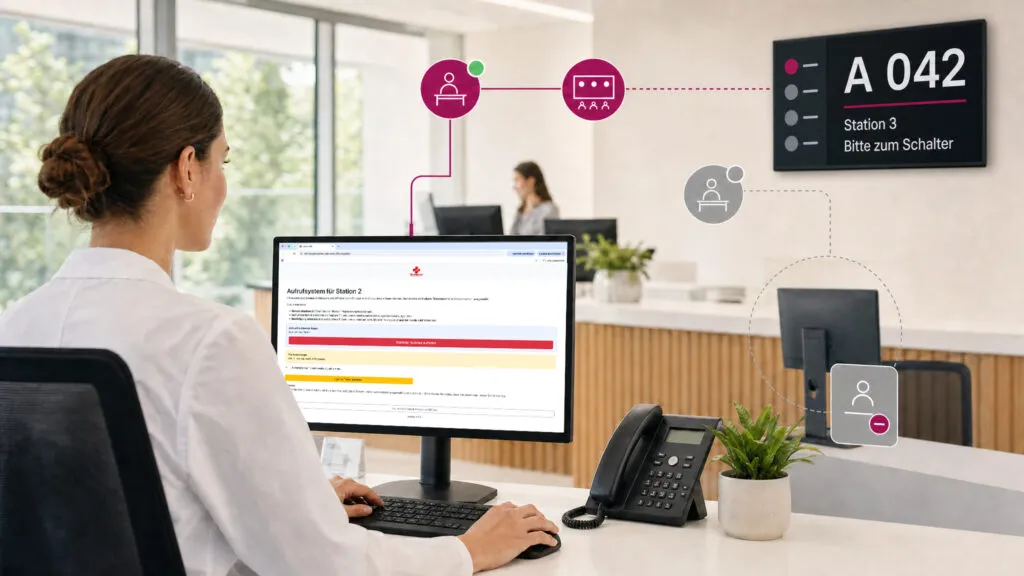
Each ward operates independently
Staff members work in their own app: select a ward, call up the next number, repeat the call if necessary or reset it. Anyone who is no longer available logs out of their own ward without anyone else having to take over or tickets continuing to be assigned automatically.
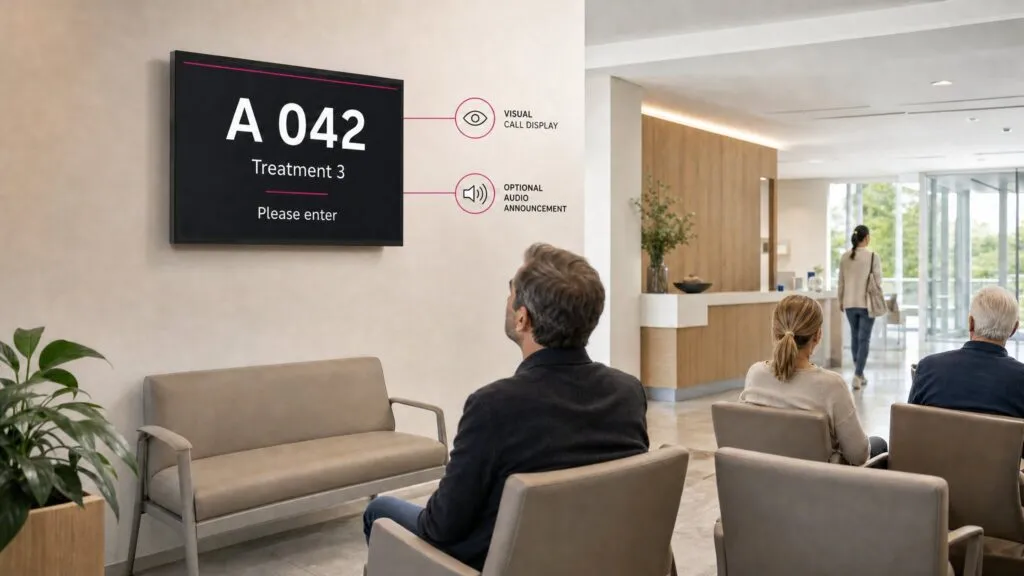
Patients are called
Visitors in the waiting area are called or their ticket number is displayed on screens. Upon request, communication can be visual and/or audible.
Automatic room assignment
In the optional autopilot mode, tickets are automatically assigned to available stations — taking into account occupied rooms and the current queue. Stations dynamically register and deregister, so no one has to manually distribute tickets.
Real-Time ticket status updates
A central ticket list shows the current status — for example, which ticket is active in which room or whether any tickets are currently pending. An overlay notifies users when no station is available. Every status is immediately recognizable at a glance.
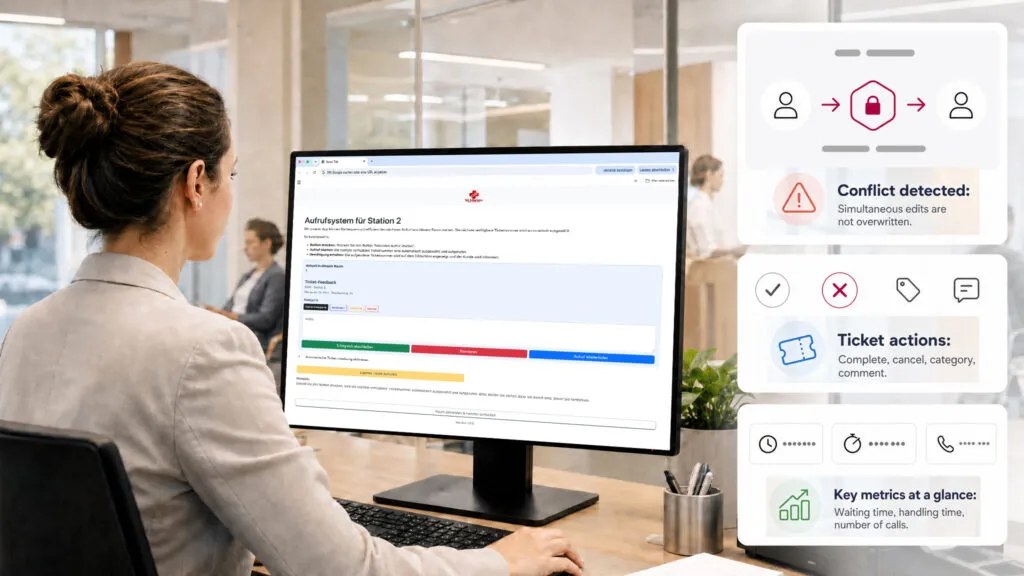
System detection for seamless workflows
A ticket can be successfully closed or canceled, optionally with a category or comment — wait time, processing time and number of calls are automatically tracked. If two people edit a ticket at the same time, the system detects the conflict instead of silently overwriting data.
Flexibly organize categories and stations
You can create categories and stations yourself, specifying their titles, colors and sort order; these can be managed in the dashboard and are protected by access rights. Categories or stations that are no longer needed can be archived but remain available if required.
Analysis of key metrics
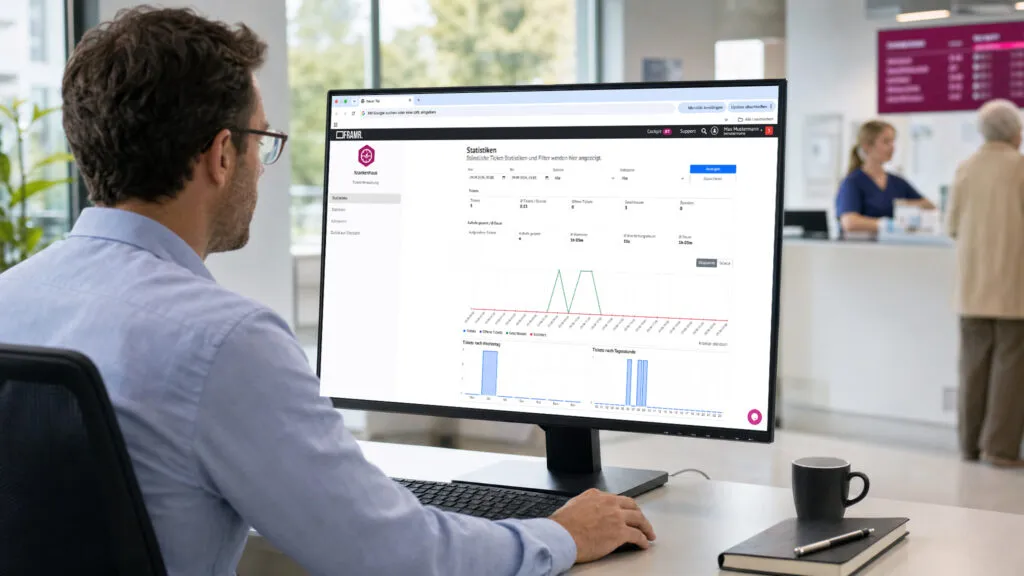
You can analyze the queue management system’s key metrics by time period, station and category, including the number of tickets, average wait and processing times and distribution by day of the week and time of day. Comments can also be filtered and searched through paginated lists and all data can be exported as a CSV file. Perfect for staff scheduling!
Offline functionality
If the connection is temporarily lost, ticket issuance continues locally — tickets created offline are automatically synchronized to the cloud later and numbering continues seamlessly. The print status is continuously monitored, and errors are automatically reported to the stations.
Custom branding instead of a standard design
You can freely customize content to match your branding, as well as create your own layouts for the home, success, error and closed screens, along with a customer-specific print layout. The terminal looks as if it were custom-developed for your brand, not like a standard solution.
Access is clearly regulated
Internally, access rights can be assigned individually. This makes it possible to define responsibilities for stations and categories. Access is additionally secured on a per-group basis and every change is logged in a traceable and transparent manner.
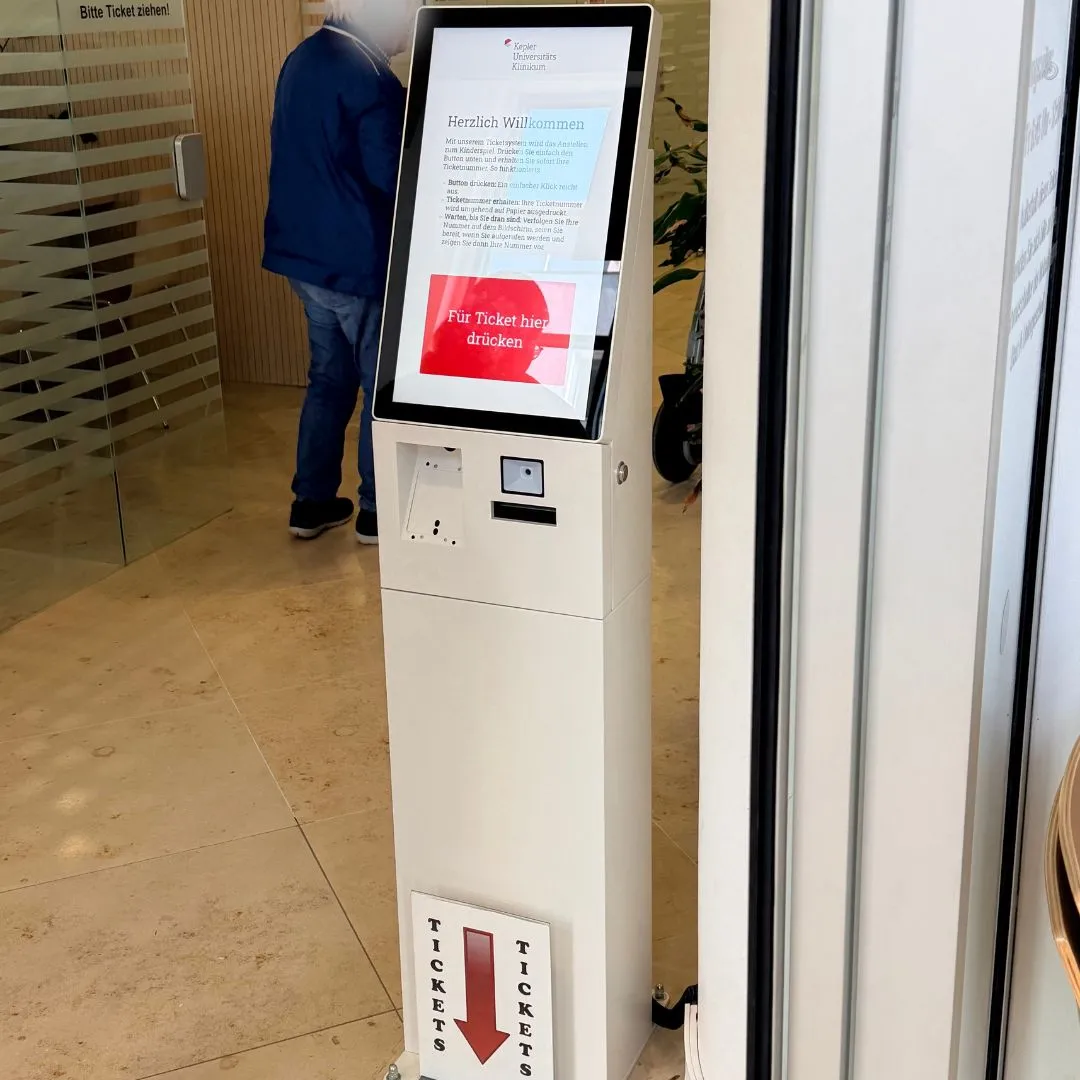
Our team installed a call system for patient management and communication for a client to reduce the workload on staff and automate processes.
FAQ
Frequently asked questions about our solutions.
No. The call system is an add-on option for the Jet license and requires its own hardware, such as a ticket printer and terminal. It is not included in the standard license.
Ticket issuance continues locally offline and the numbering sequence continues seamlessly. As soon as the connection is restored, the tickets created offline will automatically synchronize.
FRAMR’s. call system supports any number of locations and is a scalable solution.
Yes, through autopilot mode. Tickets are then automatically assigned to available stations, depending on waitlines and occupied rooms.
The system can be analyzed centrally. Therefore, a separate instance for each branch is not required.
Yes, the logo, colors, fonts, button design and all text in the system are fully customizable, as is the ticket print layout.
Would you like a clear assessment of how you can use digital signage?
No sales pitch, just an assessment: What are your goals, what does your current setup look like and what are the challenges? Based on our experience from numerous projects, we’ll tell you — with no obligation — what makes sense for your specific use case.

Lukas Aumair
CEO & sales

Pascal Kreilhuber
Sales

Clemens Stübler
Sales

Michael Thalmann
Sales