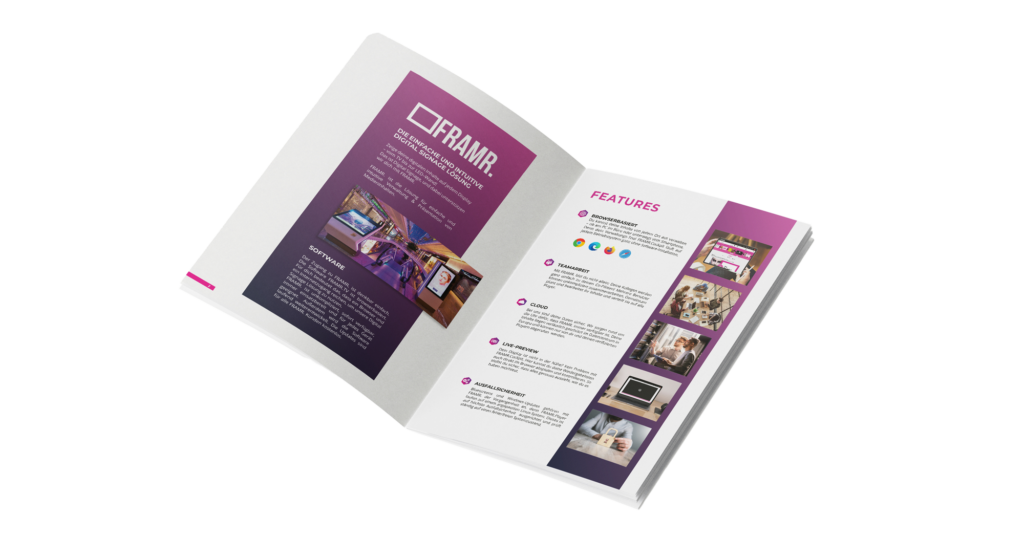
Everything modern digital signage needs
— all in one platform
With FRAMR., you can manage professional digital signage installations of any size — from a single display to international networks with thousands of devices. The browser-based Cockpit combines content management, layout creation, scheduling, monitoring and system administration into a powerful platform.
Features

BROWSER-BASED
The FRAMR. Cockpit runs on any operating system without requiring any software installation. Manage all your content directly in your web browser, whether from your office computer or on the go from your smartphone.
PERMISSION & TEAM ACCESS
Multiple people from your team can work together in the same Cockpit. Permissions can be freely assigned to sections and playlists. Users can log in directly with their existing Microsoft or Google accounts.
CLOUD AND ON-PREMISE
Your content is securely managed in the data center and we work around the clock to ensure that FRAMR. is always there for you. Alternatively, FRAMR. is also available as an on-premises (self-hosted) solution.

DESIGN STUDIO
You can design layouts directly in the FRAMR. Cockpit — without needing any external graphics software for creation. What you see in the editor is exactly what plays on the player, including animations. You can also incorporate your own fonts and live data.

DATA MANAGER
You maintain content once in a central location, rather than creating duplicate entries for each module. From there, it is automatically fed into Directory, Digital Blackboard and other modules. Permissions can be assigned on a per-data-model basis.

DIRECTORY
The Map Editor creates an interactive 3D map of your location, and Directory uses real-time navigation to guide visitors to their destination on their own. No need to ask staff for help, and no separate license is required. Accessibility options are also available.

DASHBOARD
The statistics view shows exactly how often and for how long each piece of content was viewed, as well as what your customers are searching for. This allows you to back up your metrics with data rather than relying on estimates. All data can also be exported to Excel and used for reports.
PLAYLIST WITH LIVE-PREVIEW
You can preview each playlist directly in your browser before it goes live — without needing a screen nearby. You can easily arrange content using the drag-and-drop and see right away if everything looks as desired. No technical knowledge is required.

SCHEDULING
Create a variety of content according to your preferences and schedule it for specific times, locations and even weather conditions. Automatically control individual pieces of content, layers or entire playlists based on your custom time and scheduling rules.
RELIABILITY
No blue screens, no Windows updates — FRAMR. Players run on a customized Linux system that is constantly monitored to ensure it remains error-free. Even if you lose your internet connection, you can continue playing your content without interruption thanks to the player’s offline storage.
MONITORING
With real-time monitoring in the cockpit, you can keep an eye on your displays and content at all times. Continuously transmitted screenshots and intelligent status notifications — such as for offline devices or interrupted HDMI connections — help you detect issues early and resolve them quickly.

MOBILE FRIENDLY
With the FRAMR. Cockpit, you can flexibly edit content using your smartphone or tablet — no matter where you are. You can also stream images and videos from your mobile devices to displays in top quality.
Our team and our partners will support you throughout the entire process. We not only provide you with high-quality software, but also help you with planning and implementation. We advise you, install the hardware and, if you wish, handle content management for you.
Log in to your FRAMR. demo cockpit now and try out its features and benefits. The cockpit is available in 10 languages (German, English, French, Spanish, Italian, Turkish, Arabic, Chinese, Japanese, Portuguese). Just sign up and get started! It’s free and completely non-binding — no payment information required.
Simple. Flexible. Unrestricted.
The media player feature lets you use all FRAMR. players even without the Cloud Cockpit. Save content directly to the player, a USB flash drive or a memory card and play it back on your player — completely offline; no internet connection is required. If you later decide to use remote management with the FRAMR. Cockpit, you can purchase a Cockpit license at any time.
MODULES
60+ modules offer you a variety of ways to integrate additional content. And while you’re creating your new content in the FRAMR. Cockpit, we’re already working on the next module.




FRAMR.
Product Brochure
EVERYTHING AT A GLANCE!
With the FRAMR. product brochure you get all information about our
digital signage applications compactly on your PC or smartphone/tablet.