
FRAMR. Playlist Editor: Plan, organize and preview live
With many signage systems, you don’t know whether a layout really works until after it’s published. The FRAMR. Playlist Editor on the other hand shows you every change right in your browser before it appears exactly the same way on the display.
FRAMR. Playlist Editor: Features at a glance
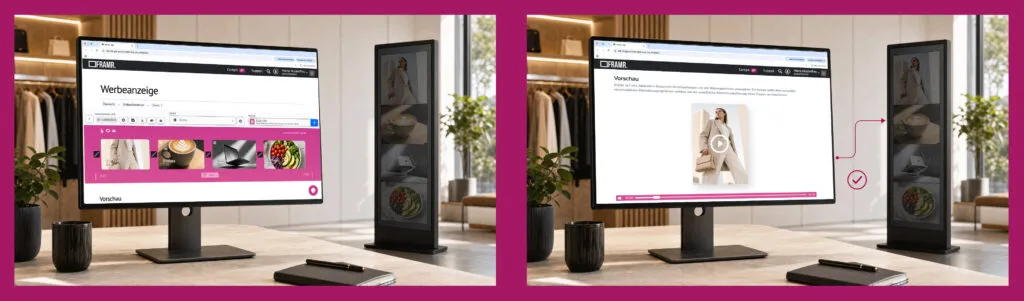
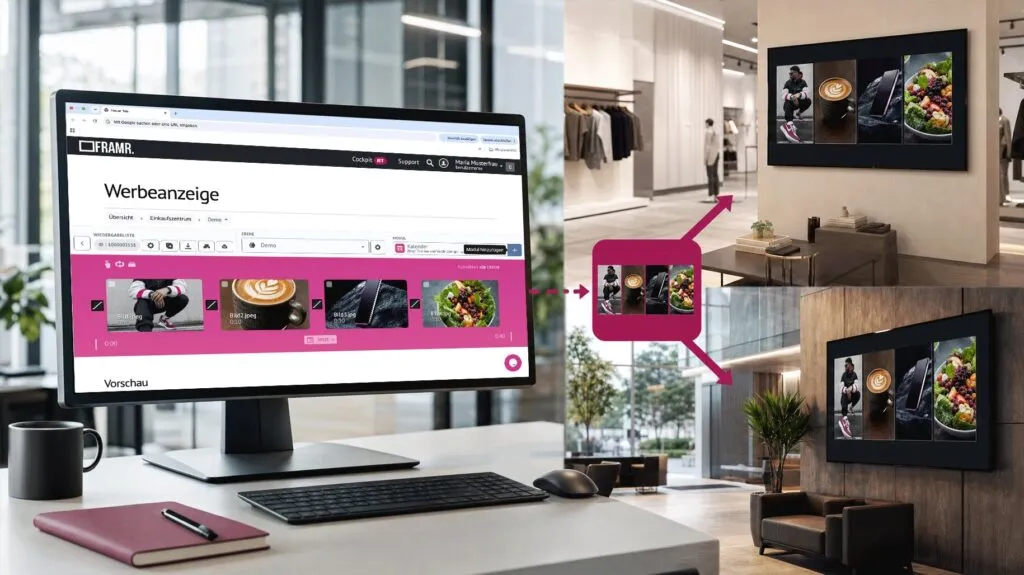
Preview content before going live
Each playlist can be played back directly in the browser before it appears on a player. This means that errors in the order or layout are caught before they become visible on the display — not after going live.
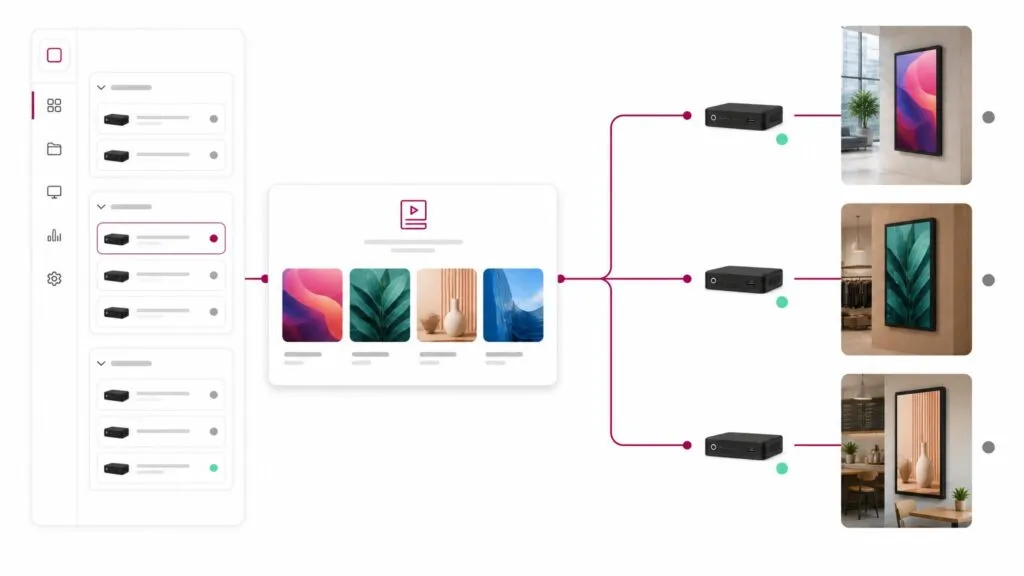
Targeted player assignment
You can assign playlists to one or more specific players, for example, to a single display in a store or to multiple screens simultaneously. If you change the playlist later, the changes will automatically apply to all assigned players to ensure consistent messaging across locations.
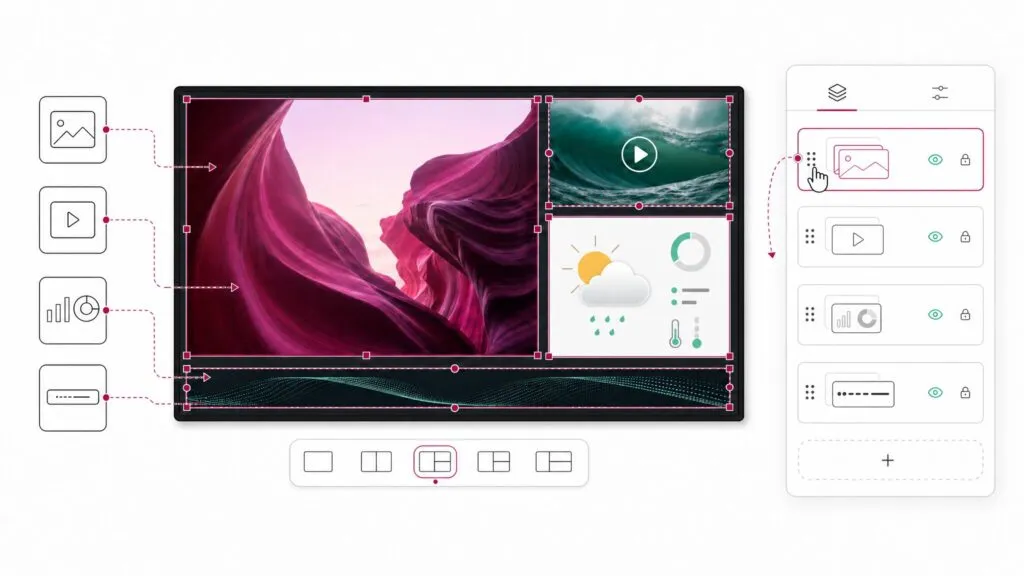
Multiple layers, one screen
A playlist consists of multiple layers that can be edited independently of one another. For example, one layer each for promotional content, weather and scrolling text. All layers run simultaneously on the same screen.
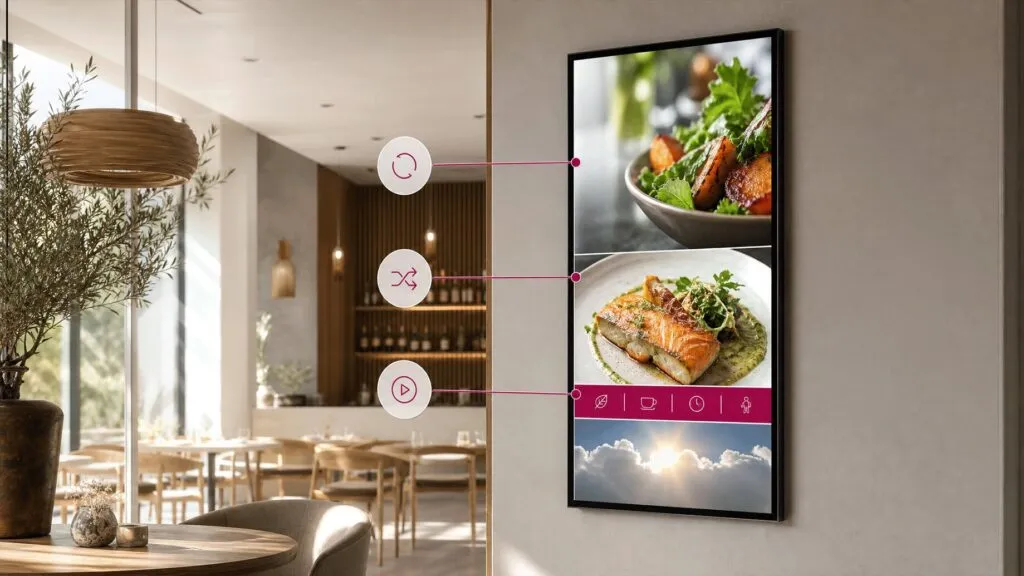
Custom scheduling of layers
You decide for each playlist whether content plays on a loop, randomly or just once. Entire layers can also be scheduled — for example, a layer that runs only in the morning and continuously displays the lunch menu.
Playlists are reusable
Playlists you’ve already created can be exported and reimported into other projects or for other clients. This saves time when an existing concept needs to be applied to a new location.
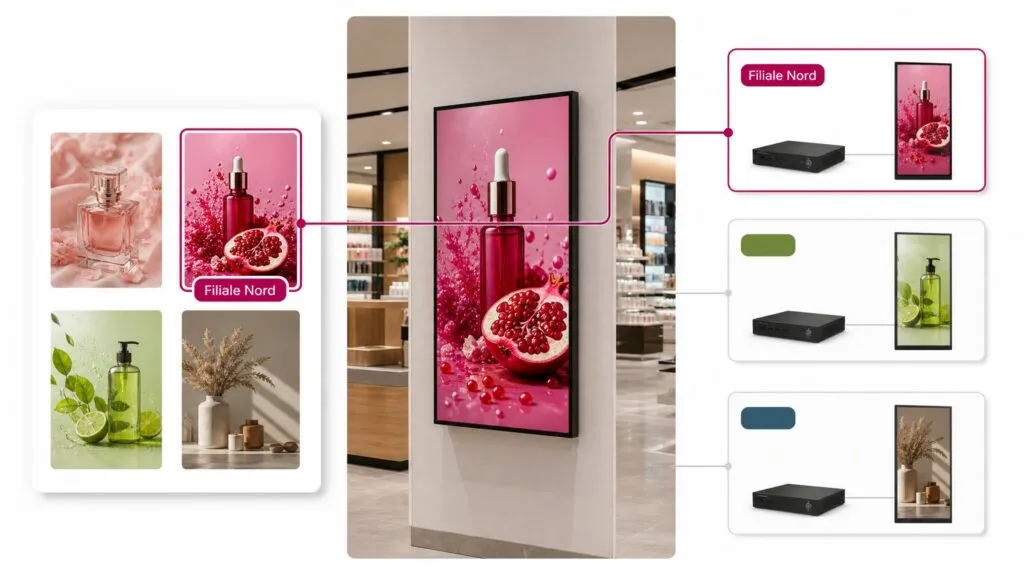
Tags for effective playlist structures
Content tagged with “North Branch” automatically appears only on players that also have this tag. This allows you to maintain a common playlist structure while each location displays its own unique content.
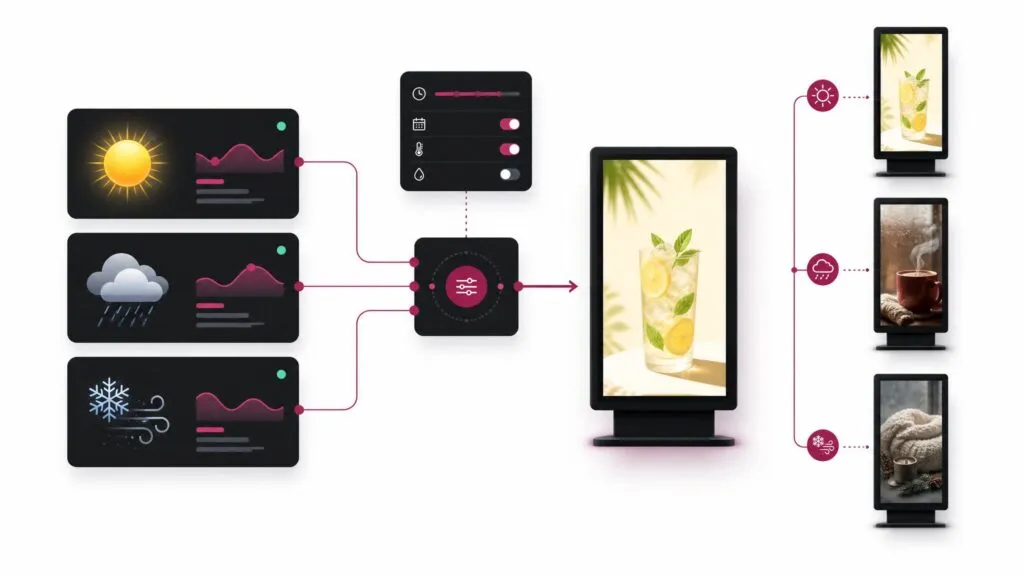
Display based on weather data
The module form includes a section titled “Display Based on Weather.” There, you can specify the weather conditions under which a module should be visible, such as during the day and/or when it’s raining. Criteria include time of day, weather conditions and measured values with upper and lower limits (e.g., temperature, humidity and UV index).
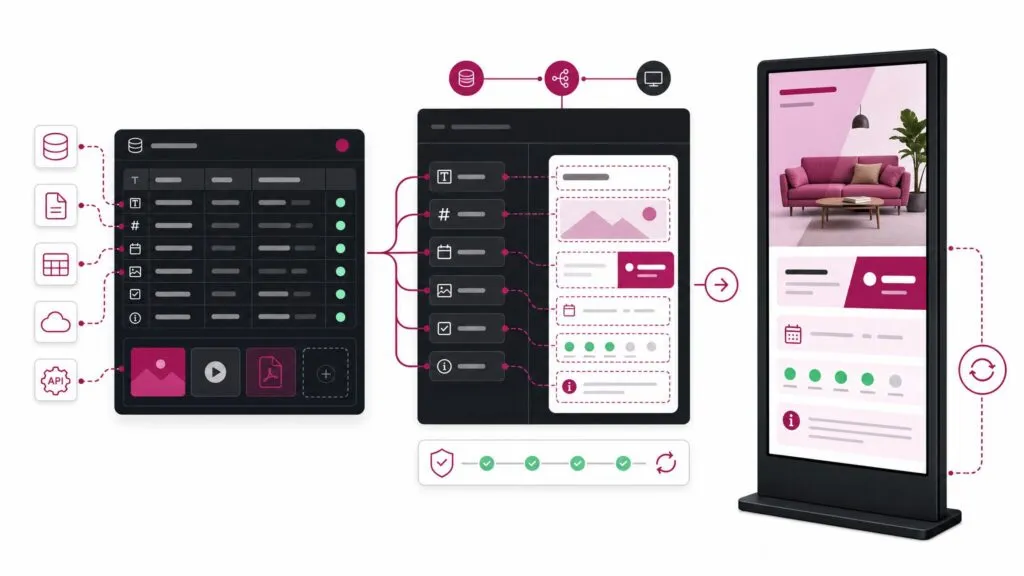
Consistent data management
Images, videos and documents can be managed in groups and used in multiple playlists simultaneously. If you replace a file, all existing links are preserved without having to rebuild the playlist. Learn more on our Data Manager page.
FAQ
Frequently asked questions about our solutions.
Our software is hosted in the cloud to enhance reliability and ensure 24/7 continuous operation. In addition, our digital signage solutions comply with GDPR requirements. You can find more information here.
No. The editor runs in the browser; you can arrange content using drag-and-drop and preview it right away. No technical knowledge is required — if you know how to use a web browser, you’re ready to get started with the FRAMR. Cockpit.
Yes, through tags or player assignments. Content with a specific tag is automatically displayed only on players that have the same tag. A shared playlist structure is sufficient for multiple locations.
The existing links will remain intact and your players will automatically update to the new file. You don’t need to rebuild the playlist if, for example, you update an image or video.
Due to the complexity of the matter and because this case has not yet been reviewed, that is not possible.
That is currently not possible.
Yes, multiple employees can work on the same playlist at the same time.
Would you like a clear assessment of how you can use digital signage?
No sales pitch, just an assessment: What are your goals, what does your current setup look like and what are the challenges? Based on our experience from numerous projects, we’ll tell you — with no obligation — what makes sense for your specific use case.

Lukas Aumair
CEO & sales

Pascal Kreilhuber
Sales

Clemens Stübler
Sales

Michael Thalmann
Sales